

Core Components
Transparency Dashboard
The Transparency Dashboard provides public visibility into all projects and their assertions. Browse, search, and review which protocols are protected and how.Projects
The Projects interface enables protocol teams to create and manage projects, link contract addresses, and associate assertions with their contracts.Incidents
The Incidents page tracks assertion violations that were prevented, showing when transactions were dropped and which assertions caught them.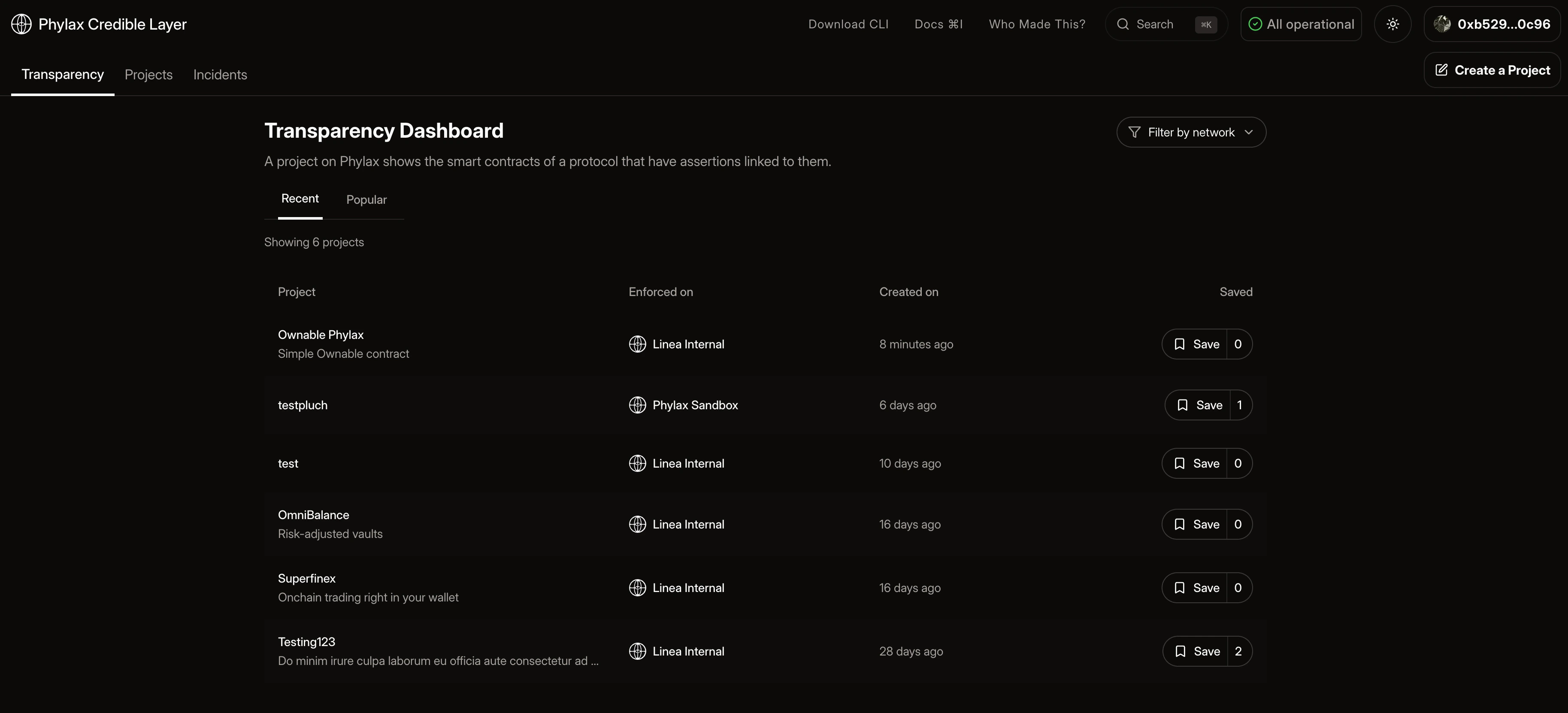
Authentication
To use project management features, you need to authenticate throughpcl. The platform uses a pcl-based authentication flow with wallet connection to enable secure access.
Authentication is required to create and manage projects. Open the platform at app.phylax.systems, then use the Deploy Assertions guide for the step-by-step authentication flow.
Key Features
- Public Transparency: All projects and assertions are publicly visible
- Unified Management: Manage all assertions for your protocol from one interface
- Incident Monitoring: Track when assertions prevent violations
- Verifiable Security: Users can verify protection before interacting with protocols
Getting Started
Transparency Dashboard
Browse and search all projects and assertions
Projects
Create and manage your protocol projects
Deploy Assertions
Step-by-step guide to deploying assertions
Incidents
Track assertion violations that were prevented
Quickstart
Get started with pcl
Authentication
Learn how to authenticate with the platform
Ownership Verification
Understand ownership requirements
Manual Verification
Fallback process for immutable contracts
Platform Integration Overview
High-level adoption flow for protocol teams